
Unleashing Creativity: The Ultimate Guide to Laser Cutting for Makers and Entrepreneurs
The world of custom creation has been revolutionized by technology, and at the forefront of this movement is laser cutting. Gone are the days when high-precision fabrication was reserved for industrial giants. Today, a new generation of sophisticated yet accessible laser cutter machine models—like the Glowforge, xTool, and professional OMTech units—has put the power of the beam directly into the hands of crafters, DIY enthusiasts, and burgeoning small business owners.
If you are looking to elevate your DIY laser projects, scale up your product line, or simply turn your laser design ideas into tangible reality, this is the definitive guide for you. We’ll cover everything from the mechanics of the beam to the hottest trends and the essential digital laser files that make it all possible.
What is Laser Cutting and Why Makers Love It
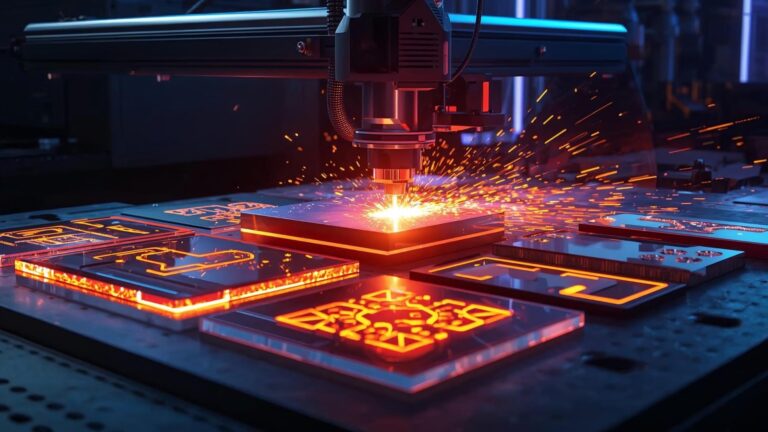
Laser cutting is a non-contact manufacturing technique that uses a highly focused, intense laser beam to cut or engrave materials with extreme accuracy. The process is entirely guided by a computer, giving rise to the term CNC laser cutting.
In simple terms, you draw it digitally, and the machine replicates it perfectly.
The Growing Popularity Among Small Businesses
The accessibility of machines has created a vibrant marketplace for laser crafts. Small business owners are leveraging this technology because it offers:
- Unmatched Precision: Allows for intricate detail impossible with manual tools, perfect for delicate laser engraving or complex interlocking joints.
- Rapid Prototyping: Designs can be iterated and produced quickly, allowing businesses to adapt to trends faster.
- Material Versatility: A single machine can process a wide range of materials, expanding product possibilities from jewelry to furniture.
- Consistency: Every cut is identical, ensuring product quality remains high across large batches.
How Laser Technology Works: CO₂, Diode, and Fiber
The term “laser cutter” covers a few different technologies, each suited to specific tasks and materials.
1. CO₂ Laser Systems
These are the most common type for the majority of makers and small businesses. CO₂ laser machines pass electricity through a tube containing carbon dioxide gas, which generates a powerful infrared light beam.
- Best For: Non-metallic materials, including wood, acrylic, glass, and leather.
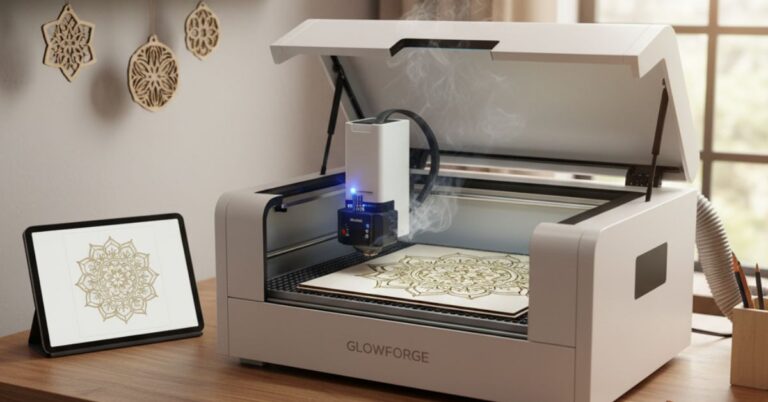
- Examples: Most OMTech large-format machines and the highly popular Glowforge desktop models.
2. Diode Laser Systems
Diode lasers are solid-state, highly compact, and cost-effective. They are often found in entry-level and hobbyist-focused machines.
- Best For: Thin wood, dark acrylic, and high-speed laser engraving on various materials.
- Examples: Many consumer xTool models, known for their ease of use and small footprint.
3. Fiber Laser Systems
These powerful systems amplify a beam through optical fiber and are mainly used for industrial applications.
- Best For: Cutting and marking metals like steel, aluminum, and brass. While some markers are used by small businesses for jewelry, they are generally less common for the craft-focused laser cutting projects compared to CO₂ machines.
The Canvas: Materials Used in Laser Cutting
The incredible diversity of materials you can process with a laser is key to creative differentiation in the marketplace.
The Maker’s Top Materials
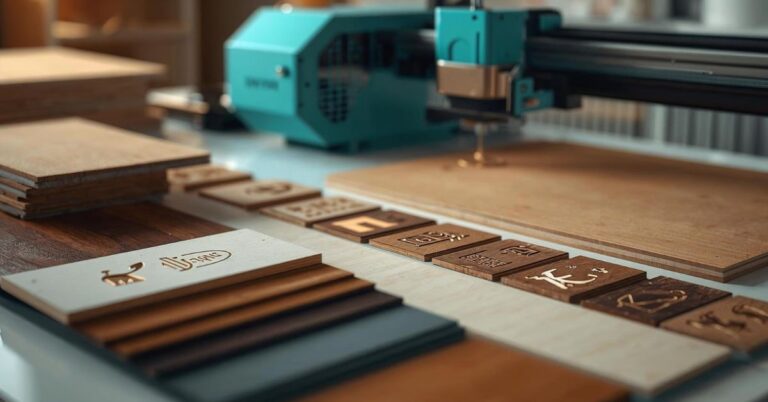
- Wood: Plywood (especially Baltic Birch), MDF, and hardwoods are staples for wood engraving and cutting. They are affordable, versatile, and fantastic for creating laser cut wall art and home goods.
- Acrylic: Available in hundreds of colors, transparent, and matte finishes. Acrylic cutting is highly valued because the laser leaves a polished, flame-finished edge, making it perfect for custom signage, jewelry, and modern art.
- Leather and Fabric: Lasers precisely cut intricate patterns into leather for wallets, patches, and jewelry, often giving a superior result to blade-based cutting.
Generating Creative Results
The material dictates the aesthetic:
| Material | Laser Action | Creative Result |
| Wood | Engraving & Cutting | Rustic signs, detailed layered art, puzzles |
| Acrylic | Cutting | Clean, glossy jewelry, illuminated signs |
| Leather | Engraving | Custom wallets, branded patches, key fobs |
| Glass | Engraving Only | Personalized glassware, etched bottles |
The Digital Foundation: Files and Software
A successful cut begins long before the laser fires. It starts with a clean, well-optimized design file.
Why Vector Files are Non-Negotiable
For the laser to cut or engrave accurately, it needs path information—a set of mathematical instructions, not pixels. This is the domain of vector graphics.
- SVG (Scalable Vector Graphics): This is the ultimate format for laser cut SVG files. SVG is an open-standard XML-based format that retains all path data and scales infinitely without loss of quality. It is natively compatible with the software used by Glowforge, xTool, and OMTech machines. If you want hassle-free, repeatable results, always look for high-quality SVG templates.
- DXF, AI, and EPS: These are other common vector formats. DXF is popular in engineering, while AI (Adobe Illustrator) and EPS are standard in professional graphic design. Your machine control software can usually import these, but converting them to SVG often makes for smoother processing.
Essential Design and Control Software
Makers rely on powerful software to turn their laser design ideas into machine instructions.
- LightBurn: The industry standard for control. It allows users to import various digital laser files, adjust power and speed settings for different materials, and send instructions directly to many CNC laser cutting machines (especially popular with OMTech and xTool users).
- Adobe Illustrator / Inkscape: These are the primary design tools. Use them to create new designs, manipulate geometry, and prepare existing digital downloads for cutting by setting specific line colors for cutting, scoring, or engraving.
- Proprietary Apps: Glowforge uses a web-based app, and xTool offers Creative Space—both designed for simplicity, ease of use, and camera-based material alignment.
Creative Laser Cutting Project Ideas (Powered by Lasercutora)
The beauty of laser cutting is that if you can dream it, you can cut it. However, the market demands high-quality, professional laser cut SVG files to truly stand out.
One of the hottest trends in the market is the use of layered SVG designs. By cutting multiple thin layers of wood or acrylic and stacking them, you can achieve incredible 3D depth and visual complexity.
Top-Selling Laser Cutting Project Niches:
- Intricate Home Decor: Think geometric lampshades, custom house number plaques, or personalized kitchen utensils. Lasercutora offers fantastic, pre-tested laser templates for stylish home goods that are ready to load and cut.
- Dimensional Wall Art: The use of layered SVG designs allows you to create captivating laser cut wall art that sells at a premium. Designs featuring natural scenes, mandalas, or abstract geometry in varying colors and depths are extremely popular.
- Personalized Gifts: Items like custom ornaments, engraved jewelry boxes, and monogrammed keychains are staples. The precision of laser engraving ensures a professional finish that adds significant perceived value.
- Holiday & Seasonal Goods: Laser cutting projects that cater to seasons (e.g., Christmas tree ornaments, Halloween decorations) see massive demand spikes. Using ready-made digital downloads from a source like Lasercutora.com ensures you can pivot quickly to capture seasonal sales.
Building Your Dream: Starting a Laser Cutting Business
The growth of the laser cutting business sector means opportunity abounds. You have two main paths to monetization, both highly profitable when executed well.
1. Selling Finished Products (The Physical Route)
This involves utilizing your laser cutter machine to produce physical goods and selling them on platforms like Etsy, Shopify, or local craft markets.
- Niche Down: Focus your energy. Instead of just selling “signs,” specialize in “custom pet memorial plaques” or “geometric acoustic panels.”
- Source Smart: Buy your materials (especially plywood and acrylic sheets) in bulk to lower your per-unit cost.
- Prioritize Finish: Post-processing matters. Sanding, staining, painting, and clean assembly are what separate high-end laser crafts from amateur projects.
2. Selling Digital Laser Files (The Passive Route)
If you are a talented designer, you can create and sell laser cut SVG files to the global community of makers who own machines like Glowforge, xTool, and OMTech.
- Focus on Usability: Your SVG templates must be clean, accurately sized, and layered clearly for easy use by others. This is the specialization of marketplaces like Lasercutora.com.
- Offer Tutorials: Provide detailed instructions or even video demonstrations. Makers are willing to pay a premium for a proven, easy-to-use design package.
- Understand Licensing: Clearly define whether your digital downloads include a personal-use license or a commercial-use license (allowing buyers to sell the physical products they make from your file).
Safety and Machine Maintenance for Longevity
A laser cutter is a powerful tool that requires respect. Simple, consistent safety and maintenance routines ensure you get clean cuts and keep your machine running for years.
Essential Safety Checklist
- Never Leave Unattended: Fire is the biggest risk. Laser cutting projects involving wood or acrylic can ignite. Always stay nearby and keep a CO₂ fire extinguisher accessible.
- Ventilation is Vital: Cutting many materials releases smoke and potentially harmful fumes. Always use a proper exhaust system to vent outside or a high-quality filter system.
- Know Your Material Safety: NEVER cut PVC, vinyl, or materials containing chlorine, which release toxic, corrosive gas.
Simple Maintenance for Cleaner Cuts
- Clean Optics (Daily): The lens and mirrors must be spotless. Dust or residue scatters the beam, causing less power at the cut line and leading to charred, poor-quality cuts.
- Calibrate and Focus: Regularly check your machine’s focus. An improperly focused laser will engrave fuzzily and struggle to cut through materials efficiently.
- Clean the Bed: Remove small offcuts and debris from the honeycomb or slat bed regularly to maintain proper airflow and prevent potential flare-ups. This is crucial for all systems, especially the enclosed ones like Glowforge or xTool.
The Next Wave: Key Trends in Laser Cutting
To keep your laser cutting business ahead of the curve, pay attention to these dominant trends.
Layered 3D Art Dominance
The shift toward multi-layered, dimensional laser cut wall art is strong. Makers are experimenting with materials beyond wood, such as mixing translucent and colored acrylic cutting layers with wood engraving for stunning light effects. This demand drives the market for complex, ready-to-use layered SVG designs.
Hyper-Personalization
Customers expect to personalize everything. Laser cutters excel at this. Offering quick, high-quality engraving of names, dates, or even handwriting turns a standard item into a cherished keepsake.
Growth of Digital File Marketplaces
The proliferation of machines means the demand for laser cut SVG files is surging. Makers are moving away from designing everything themselves and are relying on expert sources for professional digital laser files and laser templates. High-quality digital storefronts that offer proven files for specific machines (Glowforge, xTool, OMTech) are becoming the main engine of the industry.
The Path to Precision Starts Here
Laser cutting offers unparalleled creative freedom and financial potential. Whether your passion lies in intricate wood engraving, vibrant acrylic cutting, or the design and sale of digital downloads, the accessibility of today’s technology makes this the perfect time to dive in.
Your success relies on two things: a well-maintained laser cutter machine and a steady supply of top-tier laser cut SVG files. Why waste hours debugging a design when you can instantly access professional, production-ready SVG templates?
Take the first step toward high-precision craftsmanship!
Explore hundreds of meticulously crafted layered SVG designs, laser cutting projects, and expert laser machine tutorials tailored for your Glowforge, xTool, or OMTech machine.
Visit www.Lasercutora.com today and unlock your cutting-edge creativity!